Highlights of Update - V2.7.0
We are pleased to announce the release of AdiLogiX v2.7.0, introducing a powerful set of enhancements focused on workflow automation, database operations, security, and usability across the Platform, Runtime, Designer, and Configurator. This release adds comprehensive support for the new Review Process workflow, end-to-end digital signature validation, and direct database CRUD operations with built-in success and error handling. Users can now leverage enhanced Condition Editor capabilities with property-aware control references, SelectedRow indexing for data tables, Terminal Variable support in Trending Charts, and new designer controls for improved dashboard styling. In addition, v2.7.0 delivers significant stability improvements for locked builds, MQTT TLS connectivity, refined runtime navigation, modernized user interfaces, enhanced configuration management, and numerous bug fixes to provide a more reliable, secure, and productive development experience.
New Features
Review Process Workflow
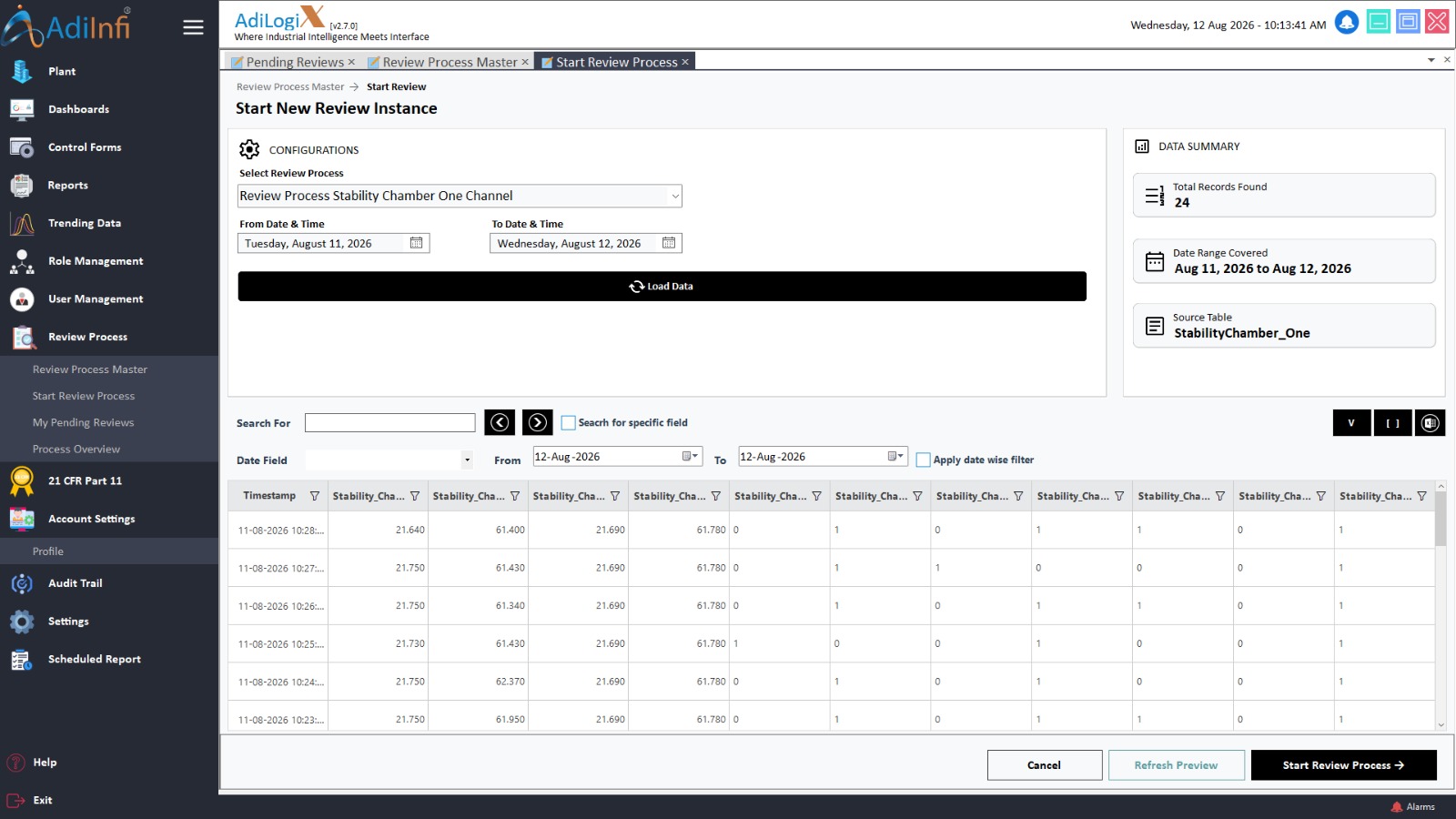
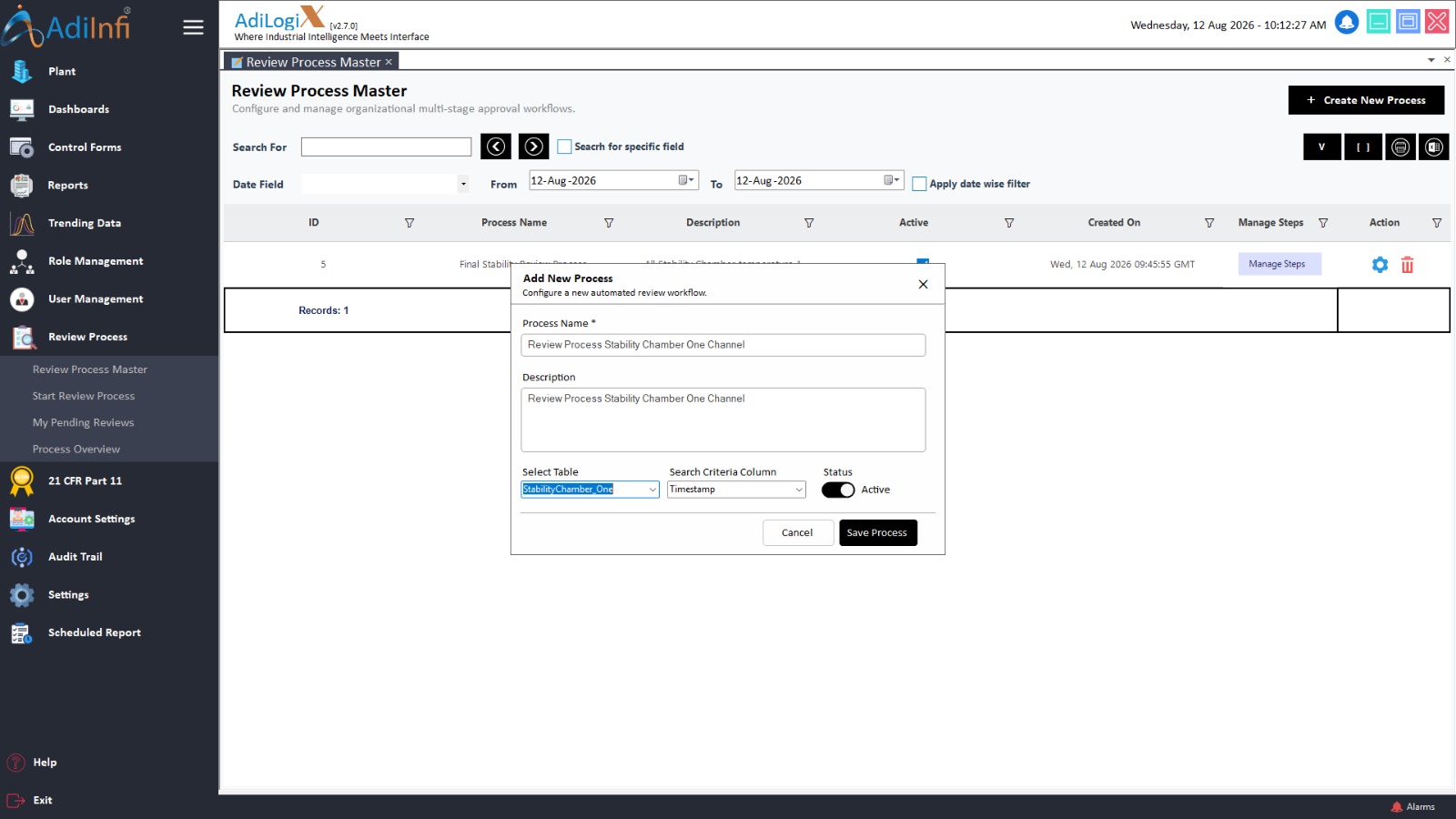
This release introduces a complete end-to-end Review Process workflow with database schema support, master tables, configurable workflow steps, and a dedicated runtime interface for tracking and managing review actions. The new workflow helps organizations standardize approval processes while improving traceability and compliance.
Database Operation Action
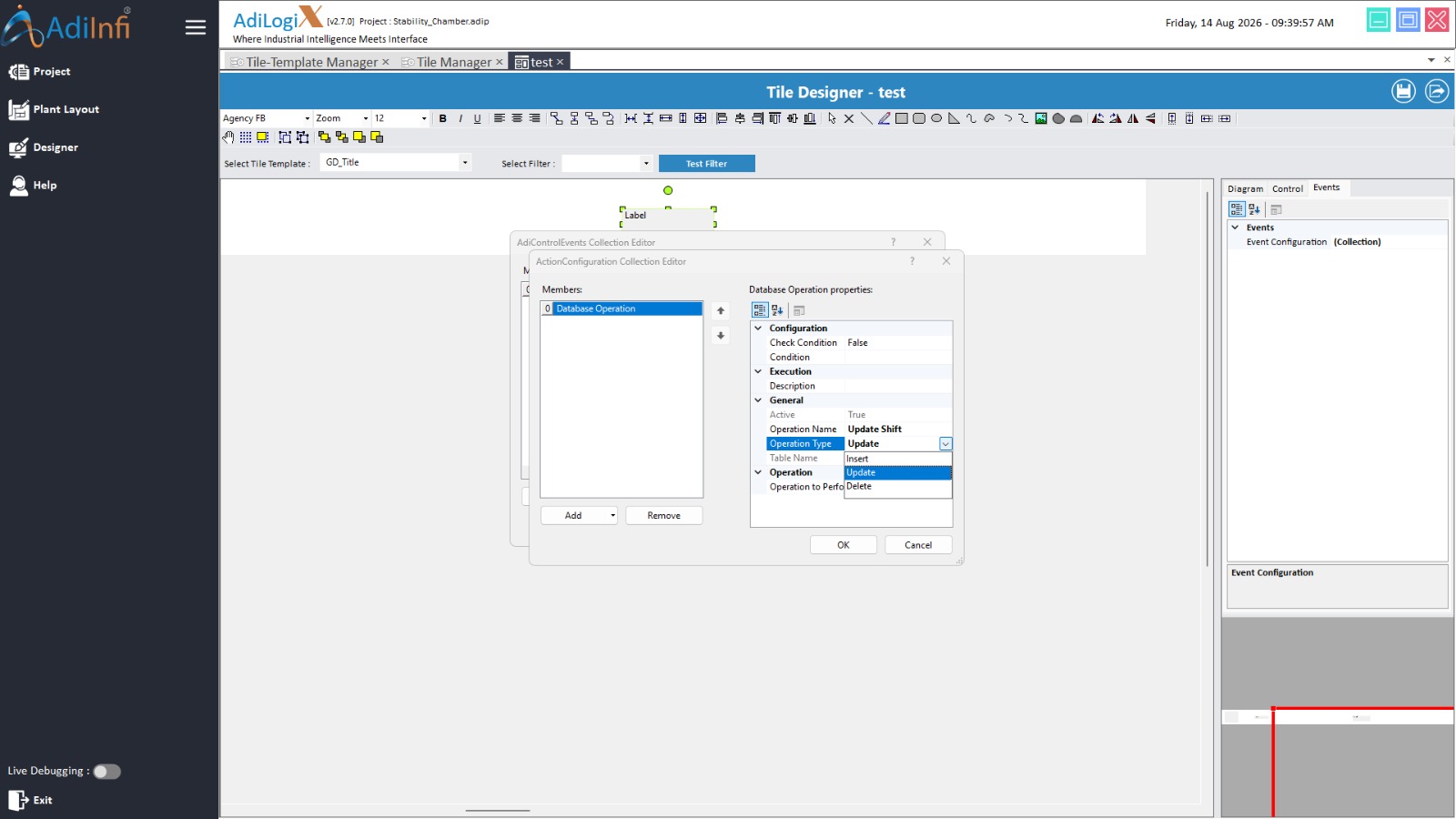
A new Database Operation Action enables users to perform Insert, Update, and Delete operations directly from the Designer without custom coding. The feature automatically handles table operations by skipping auto-increment columns during inserts and provides visual success and error notifications, making database interactions faster and more reliable.
Digital Signature Support
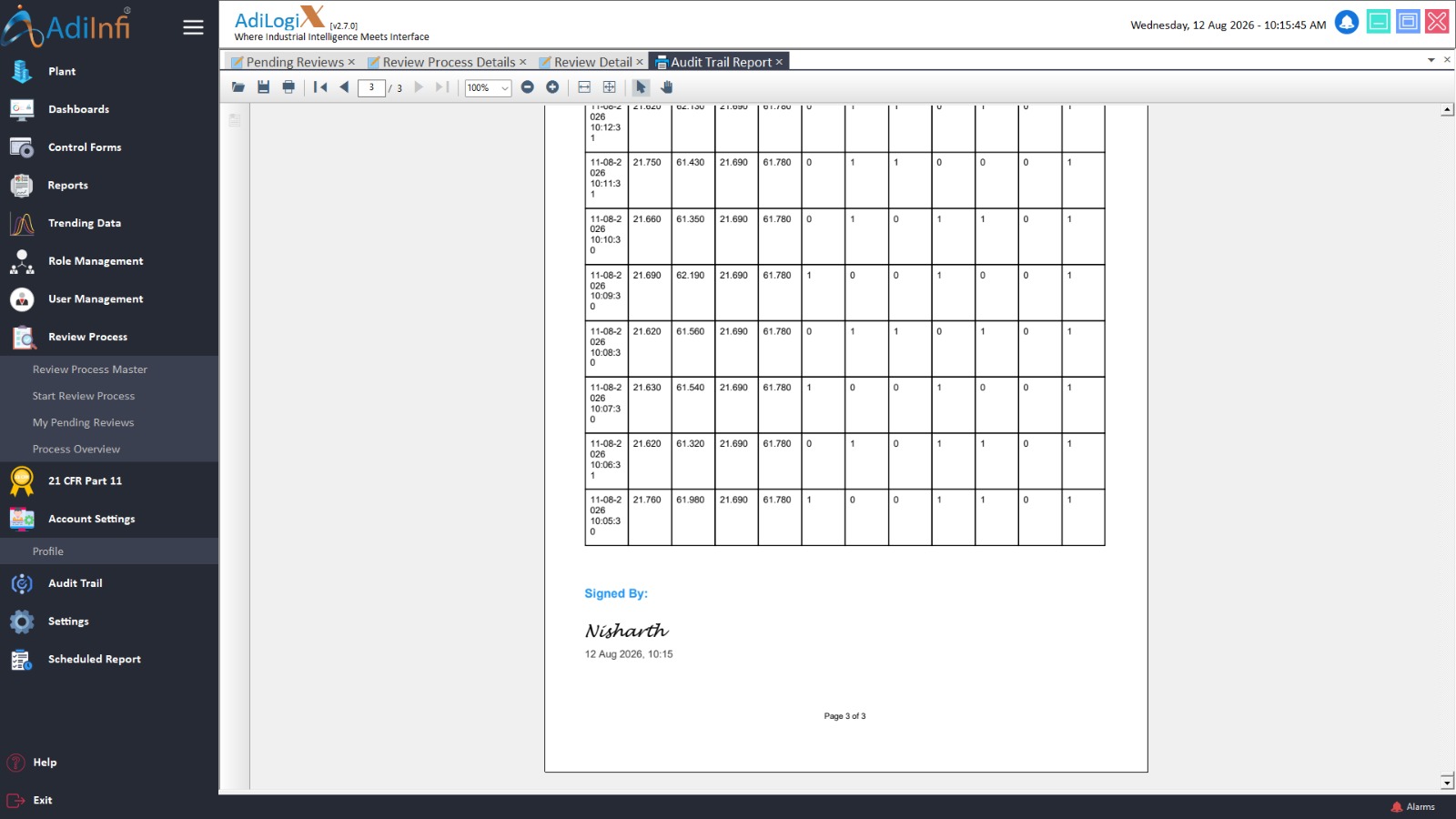
End-to-end digital signature functionality has been added across the platform to support secure authentication and regulatory compliance. Digital signatures can now be validated during runtime, helping organizations maintain data integrity and meet industry standards.
Enhanced Condition Editor
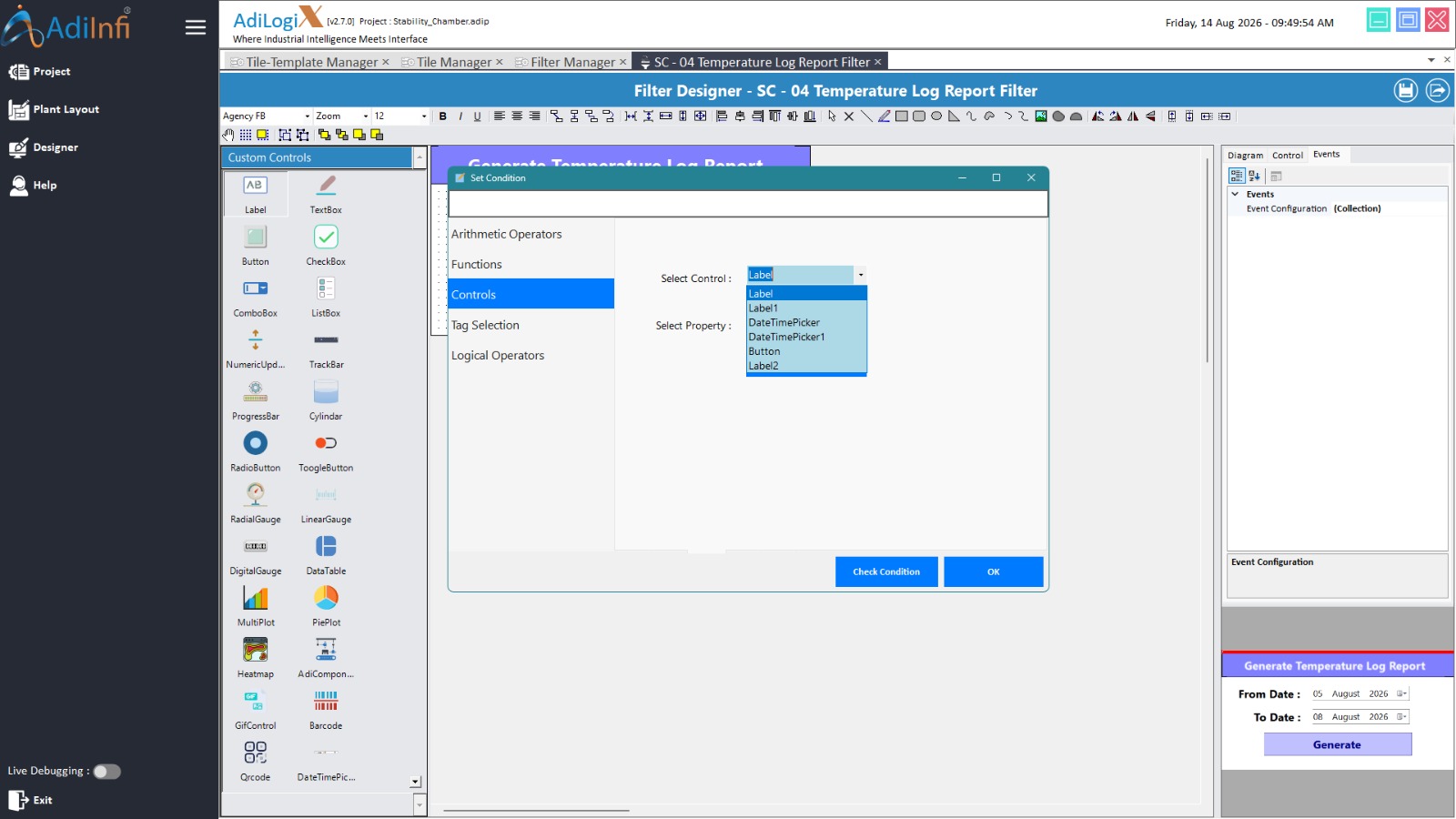
The Condition Editor has been upgraded with property-aware control selection, automatically displaying only the properties supported by the selected control type. It also generates the correct placeholder syntax and introduces SelectedRow column indexing for Data Tables, making complex expressions easier to configure.
Terminal Variables in Trending Charts
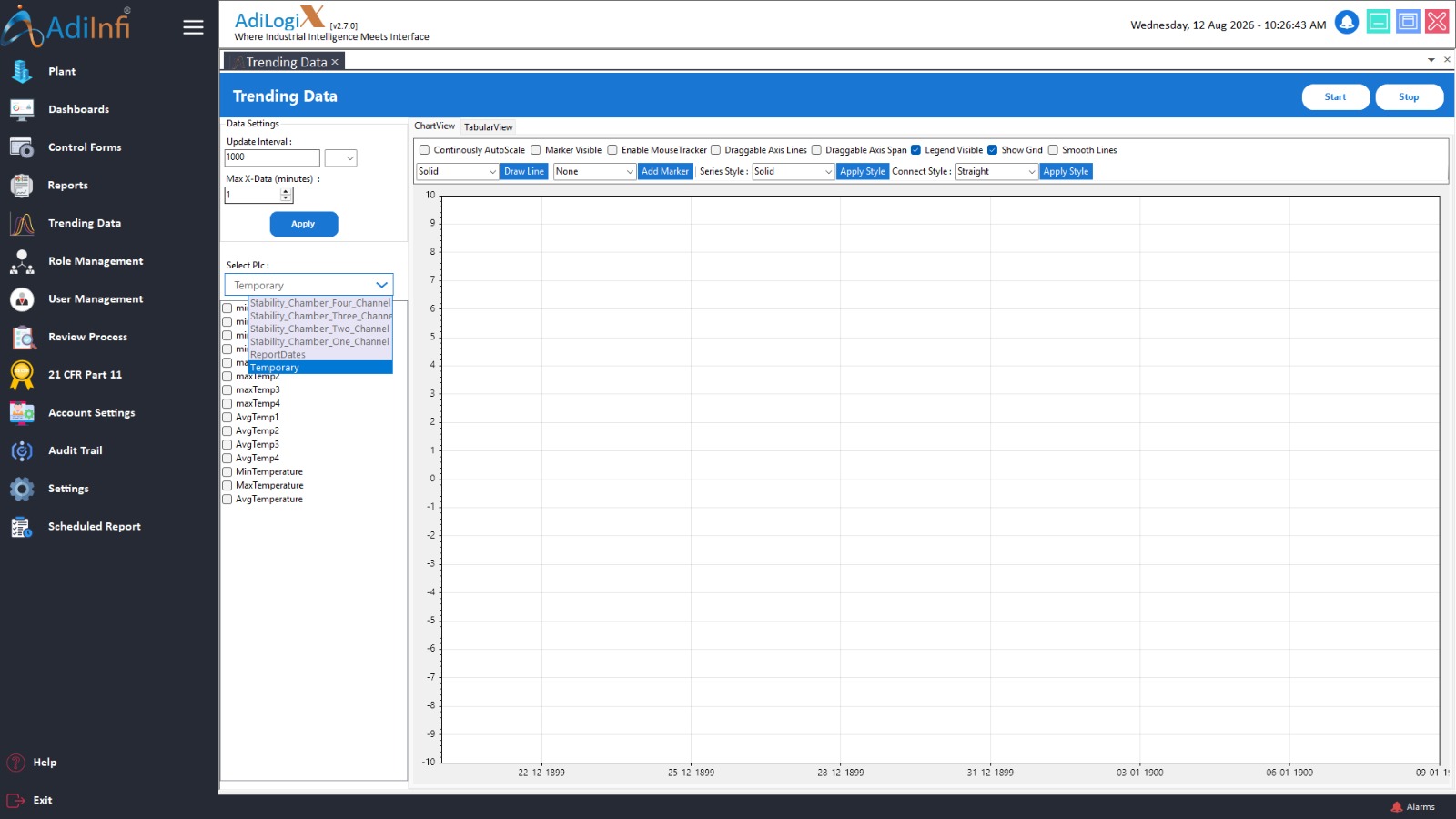
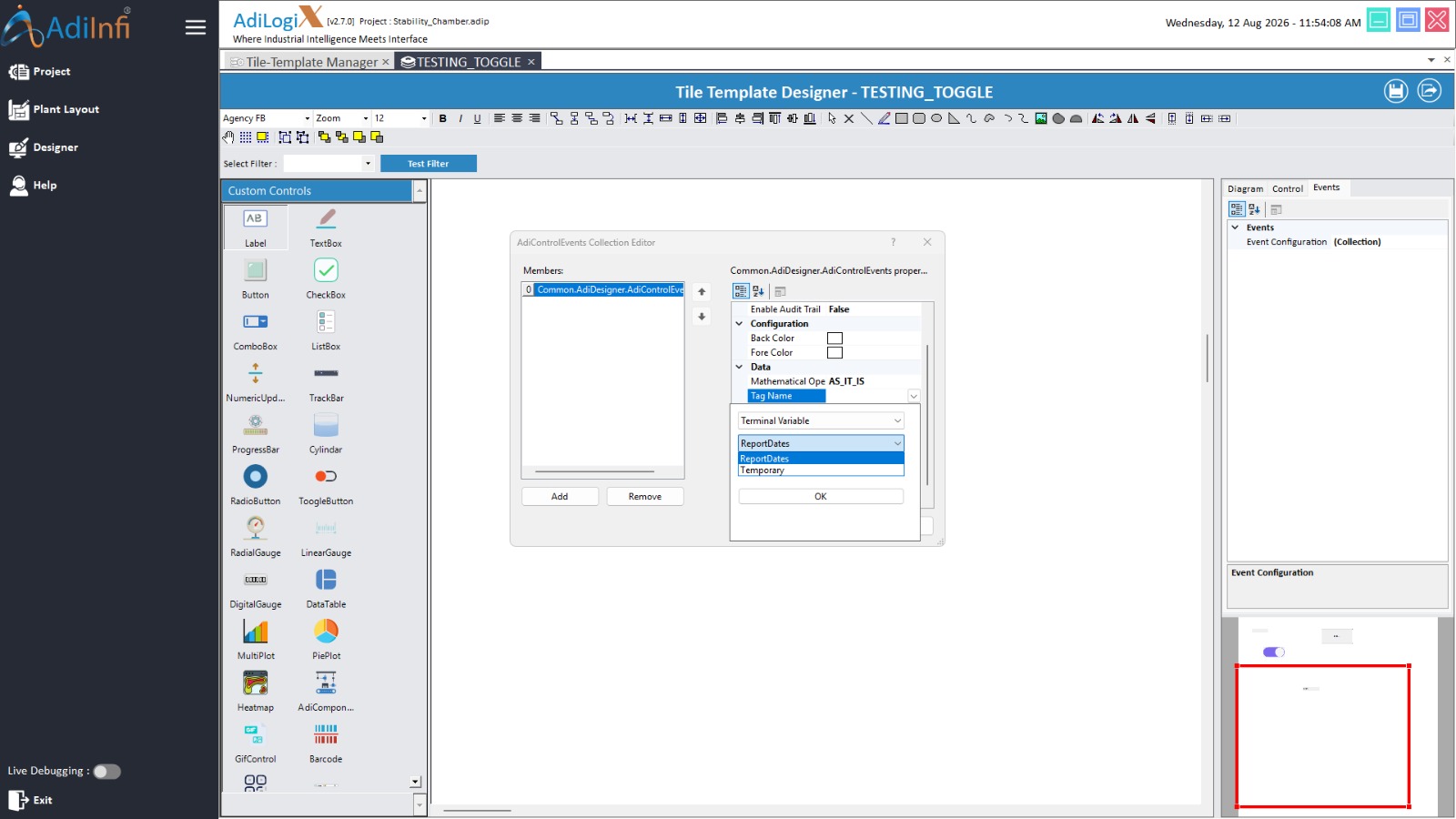
Trending Charts now support Terminal Variables, allowing users to visualize and monitor live internal variables alongside device data. This provides greater flexibility when creating dashboards and analyzing runtime information.
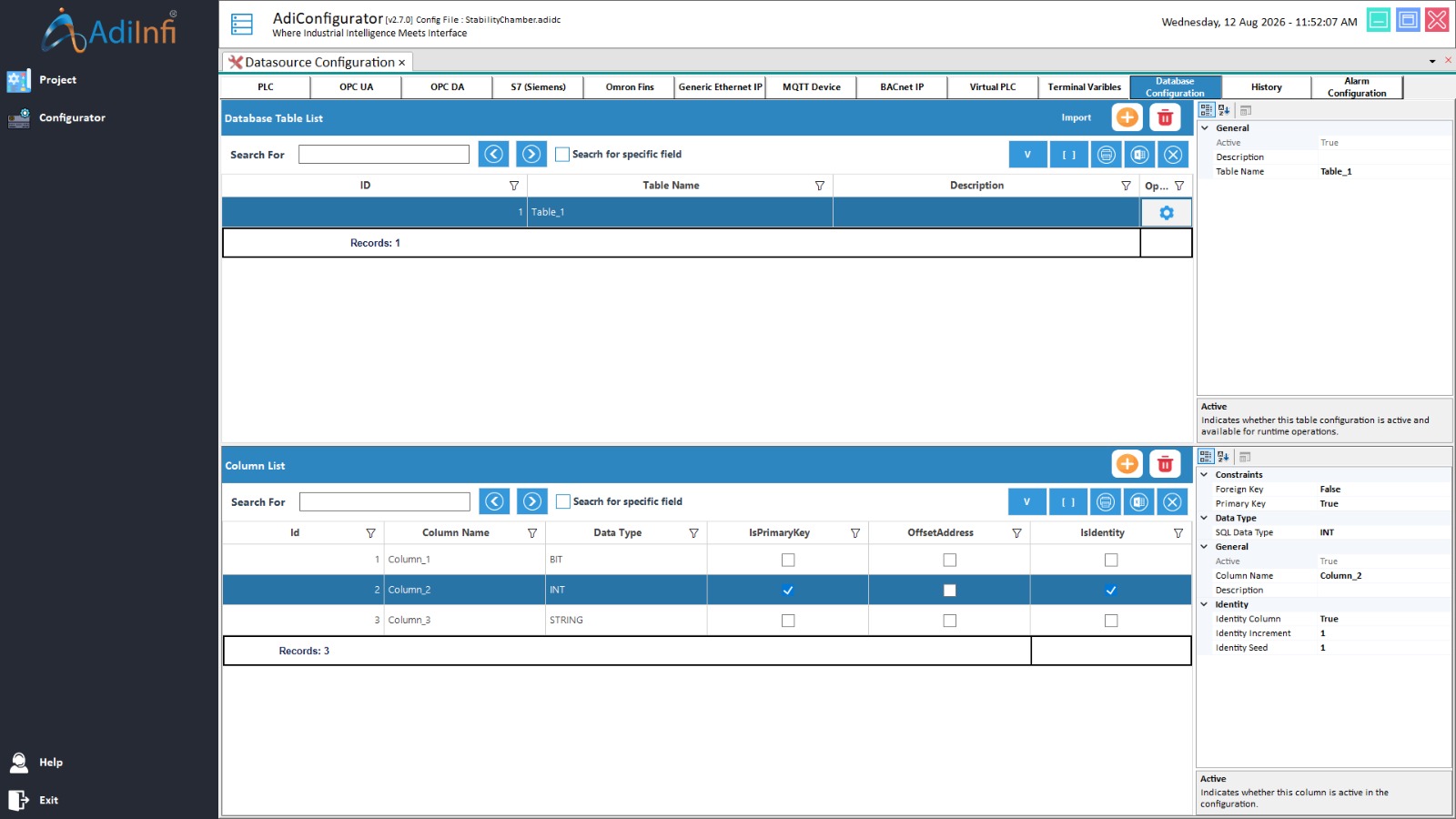
Database Configuration Module
A dedicated Database Configuration module has been added to simplify the setup and management of database connections and target configurations from a centralized location.
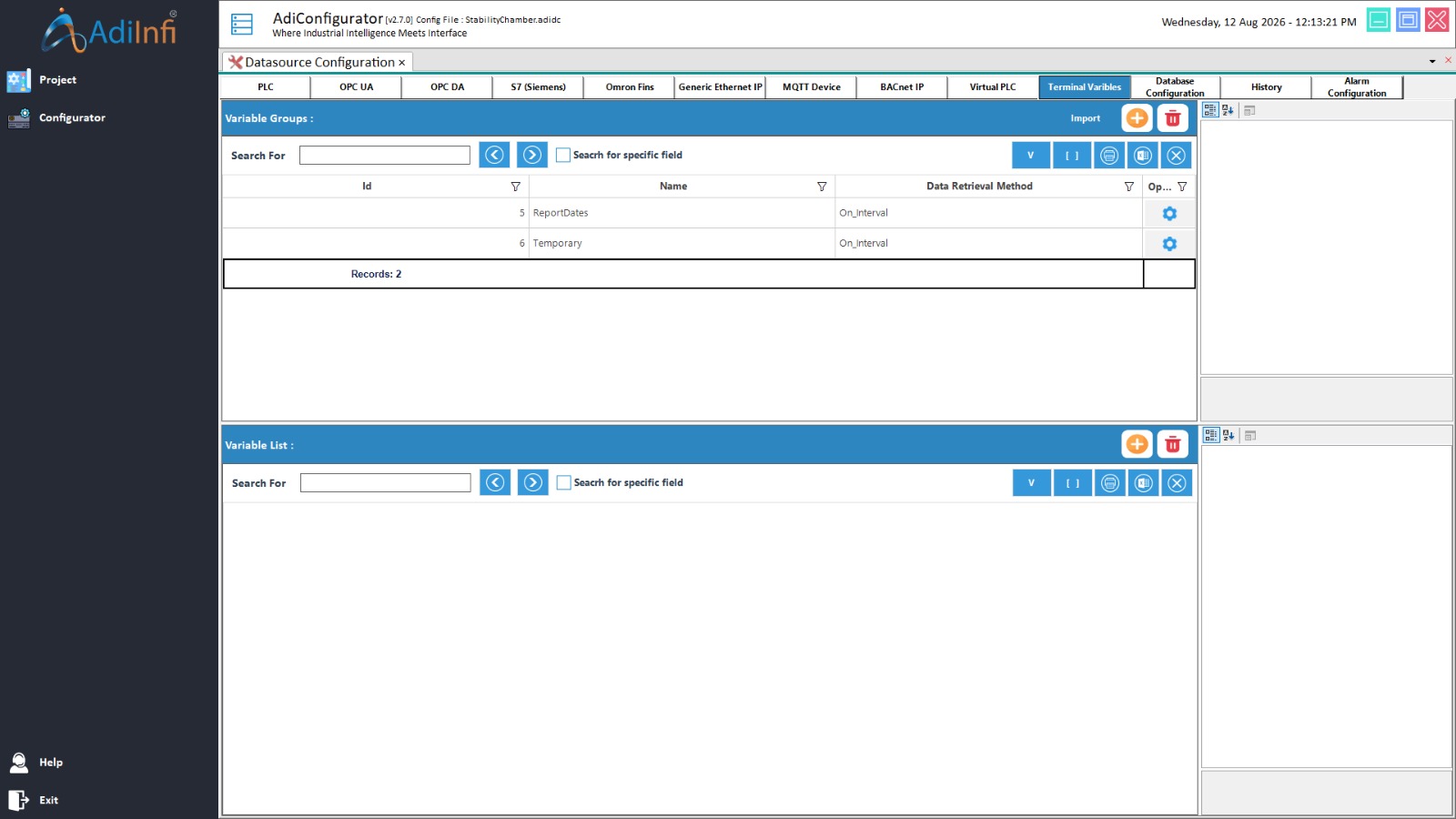
Terminal Variable Groups
Configurator now includes a Terminal Variable Groups module, enabling users to create, organize, and manage terminal variable groups and define local variables for improved project organization and runtime efficiency.
Improvements
Secure MQTT Communication
The MQTT client has been upgraded to support TLS-encrypted connections, improving communication security and enabling secure data exchange between connected devices and servers.
Modernized User Interface
The user interface has been refined with the removal of 3D borders from MDI forms, creating a cleaner and more modern appearance. Runtime side navigation has also been streamlined, while Search Panel controls now offer additional appearance customization options.
Enhanced Runtime Navigation
Runtime navigation has been optimized to eliminate menu-related inconsistencies, resulting in smoother navigation and an improved user experience across the application.
Improved Database Operation Feedback
Database operations now provide clear visual notifications for successful and failed executions, along with detailed error logs. This helps users quickly identify issues and simplifies troubleshooting during runtime.
Improved Configuration Management
The Configurator has been enhanced with a more robust unique device ID assignment mechanism, ensuring reliable device configuration and reducing the possibility of configuration conflicts.
Enhanced Property Grid Integration
Property Grid integration with the Terminal Group Panel has been improved to support seamless real-time refreshes, allowing configuration changes to be reflected immediately without requiring manual updates.
Release Notes
Stay up to date with the latest features, improvements, and fixes in AdiLogiX
Platform-wide - V2.7.0
🟢New Features
- Added complete end-to-end support for the new Review Process workflow, including database schema alignments, master tables, and steps configuration.
- Added comprehensive database actions to perform CRUD (Insert, Update, Delete) operations directly, with automatic table handling (skipping auto-incrementing columns for inserts) and visual success/failure message boxes.
- Introduced property-specific resolution in the Condition Editor (supporting text, value, selected item, checked state, etc. depending on the control type) and custom grid indexing (`SelectedRow[Column Name] `) for Data Tables.
- Added end-to-end digital signature validation and compliance functionality at runtime.
- Introduced custom Round Panel and Line Separator controls to enhance designer dashboard styling.
- Added full support for using Terminal Variables directly in Trending Charts.
🟡Improvements
- Major stability fixes for obfuscated/locked builds, including resolving serialization crashes for Heatmaps, mapping issues in Pie Plots, and hidden filter queries in the Set Value form.
- Upgraded MQTT client capabilities to support TLS-encrypted connections.
- Polished the MDI form layout (removed 3D borders), streamlined the runtime side navigation menu, and added custom appearance settings to Search Panel controls.
Configurator - V2.7.0
🟢New Features
- Introduced a dedicated Database Configuration module to set up, manage, and configure database connection parameters and targets.
- Introduced a dedicated Terminal Variable Groups configuration tab, enabling users to create and manage terminal variable groups and define local variables.
Designer - V2.7.0
🟢New Features
- Introduced the Database Operation Action (`AdiDatabaseOperationAction`), allowing users to configure and execute database Insert, Update, and Delete operations directly from control events.
- Condition Editor now dynamically lists allowed properties based on the selected control type (e.g. Value for DateTimePicker, SelectedRow for Data Table).
- Auto-generates correct placeholder syntax (`@control_ControlName.PropertyName` or `@control_TableName.SelectedRow[ColumnName]`) when adding control references from the editor.
🟡Improvements
- Resolved issues where filter queries and return values were hidden in the Set Value form when running in locked/restricted application modes.
🔵Fixes
- Resolved design-time errors when configuring/editing Custom Control Forms and Dialog boxes.
- Fixed Pie Plot slice editor failures in locked/restricted environments.
Data service - V2.7.0
🟢New Features
- Introduced full OPC DA communication capabilities, including device connection management, disconnection handling, and scheduled data acquisition tasks.
- Enabled real-time delivery of OPC DA data to runtime applications, along with integrated alarm generation and historical data logging based on OPC DA inputs.
🟡Improvements
- Improved stability of background data acquisition processes for both S7 and Omron PLCs.
- Enhanced reliability in handling continuous live data updates sent to Runtime and Designer.
Runtime - V2.7.0
🟢New Features
- Added support for end-to-end digital signatures for security and compliance workflows.
- Integrated the new Review Process workflow, featuring a dedicated Review Process master form for tracking and actioning steps.
- Enabled real-time extraction and resolution of specific column values from Selected Row indices in table views, safely aborting query executions if selected rows are empty.
- Added trending chart support for Terminal Variables to monitor live internal tags.
🟡Improvements
- Streamlined and corrected navigation glitches in the runtime side menu.
- Integrated visual status alerts confirming success or failure (with detailed error logs) on database operations.